
Security
NOTE
This section applies only to the Pro version of the application.
Click or tap the Preferences button to open the Preferences window. Choose the Security tab.
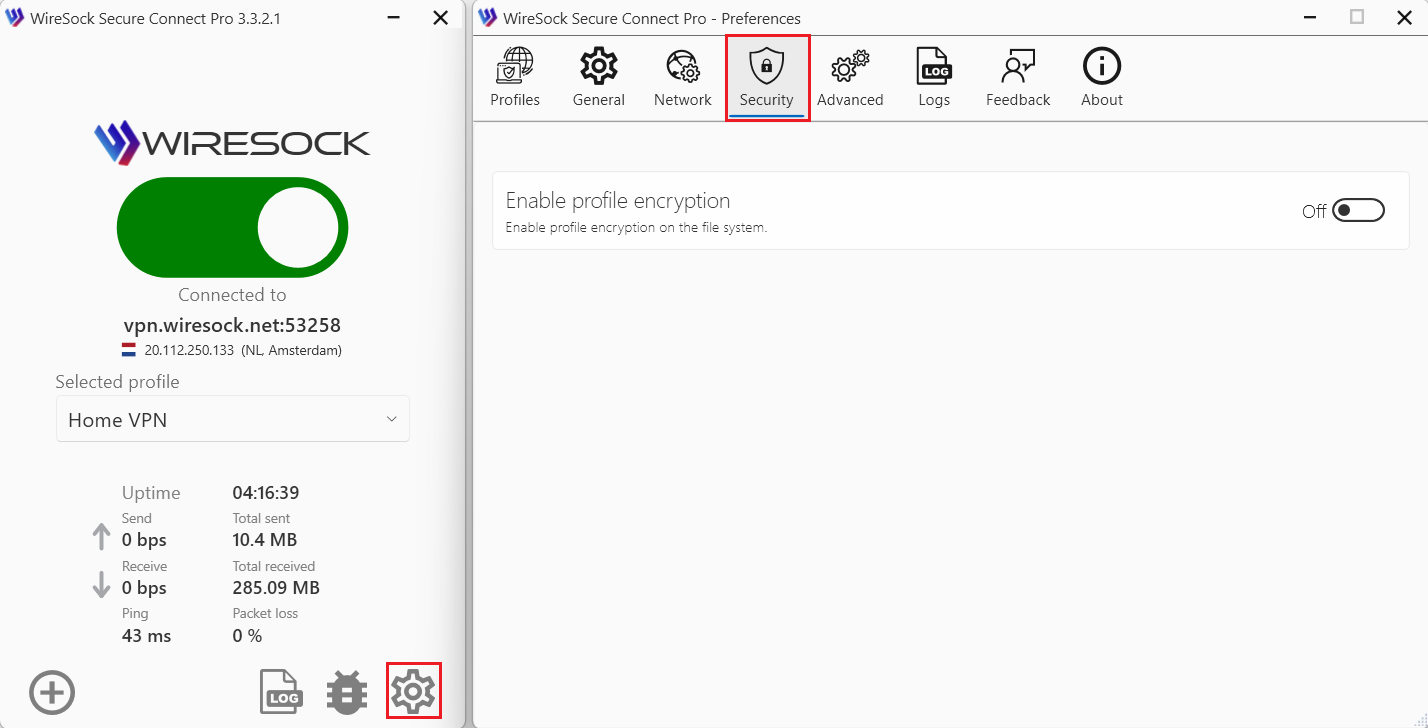
Enable Profile Encryption
WireSock Secure Connect Pro allows you to dynamically enable or disable profile encryption.
- Use the toggle to turn encryption on or off.
Encryption Mechanism
Profile encryption is implemented using built-in Windows mechanisms.
Data is encrypted with the session key of the SYSTEM account.