
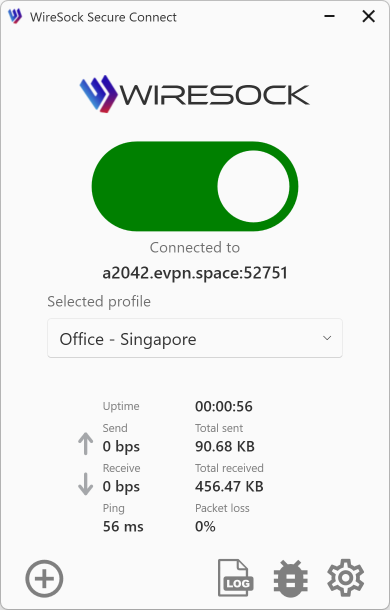
Key Features of WireSock Secure Connect
WireSock Secure Connect is a WireGuard VPN client for Windows designed for users who need more control, better privacy, and more reliable connectivity in restrictive or complex network environments.
Unlike basic VPN clients, WireSock Secure Connect combines advanced split tunneling, DPI protection, traffic leak prevention, and secure profile handling in one desktop application.
At a glance
WireSock Secure Connect helps you:
- Route only the traffic that should use the VPN
- Keep selected apps or networks outside the tunnel
- Reduce the risk of IP leaks when the VPN disconnects
- Access local devices without disabling the VPN
- Make VPN traffic harder to detect or block
- Use modern Amnezia 2.0-compatible profile settings
- Route traffic through a SOCKS5 proxy when needed
- Close existing TCP connections on connect to reduce leaks
- Protect VPN profiles with encryption at rest
Feature overview
| Feature | What it does | Benefit |
|---|---|---|
| Split tunneling by application | Routes only selected apps through the VPN, or excludes selected apps from it | Keep work apps in the tunnel while browsers, games, or local tools use the regular connection |
| Split tunneling by network | Routes only selected IP addresses or subnets through the VPN, or excludes them from it | Reach corporate or private networks through the VPN without tunneling all internet traffic |
| Kill Switch | Blocks network traffic if the VPN disconnects unexpectedly | Helps prevent accidental IP and traffic leaks |
| Bypass local traffic | Excludes trusted LAN traffic from the VPN tunnel | Keep access to printers, NAS devices, media devices, and other local resources |
| DPI protection | Uses Junk Packets and Protocol Masking to make VPN traffic harder to detect | Improves connectivity in networks where VPN traffic is filtered, throttled, or blocked |
| Amnezia 2.0 support | Supports AmneziaWG / Amnezia 2.0-compatible profile parameters | Gives advanced users more obfuscation options in restrictive environments |
| SOCKS5 proxy support | Routes the WireGuard handshake, and optionally all traffic, through a SOCKS5 proxy | Adds another layer of indirection and can help bypass advanced blocking |
| Terminate TCP connections on connect | Closes existing TCP connections when the VPN starts | Reduces the chance that old connections continue outside the tunnel |
| Profile encryption | Encrypts VPN profiles at rest using built-in Windows protection mechanisms | Helps protect sensitive configuration data stored on the device |
Split tunneling by application
What it does
WireSock Secure Connect can tunnel traffic based on the application that generated it. You can define:
- apps that must use the VPN
- apps that must bypass the VPN
Why it matters
This gives you precise control without changing how the rest of the system works.
Examples:
- route your browser through the VPN, but keep streaming apps outside it
- route corporate apps through the VPN, but let personal apps use the regular connection
- keep latency-sensitive apps outside the tunnel while protecting selected traffic
Best for
- remote work
- mixed personal and work usage
- gaming and streaming scenarios
- privacy-focused users who do not want to tunnel everything
See Split Tunneling and Connection Profiles.
Split tunneling by network
What it does
WireSock Secure Connect can also tunnel traffic based on destination IP addresses and subnets.
You can:
- route only specific networks through the VPN
- exclude selected networks from the tunnel
Why it matters
This is useful when only certain destinations require VPN access.
Examples:
- send only corporate subnet traffic through the VPN
- keep public internet traffic local for better speed
- exclude selected local or trusted subnets from the tunnel
Best for
- corporate VPN access
- advanced users
- home lab and private infrastructure access
- low-overhead split routing setups
See Split Tunneling and Network Settings.
Kill Switch
What it does
Kill Switch blocks network traffic when the VPN disconnects unexpectedly.
Why it matters
Without a Kill Switch, apps may continue sending traffic over the normal internet connection if the VPN drops. That can expose your real IP address or sensitive traffic.
With Kill Switch enabled:
- traffic is blocked on unexpected disconnect
- protection remains active until the VPN reconnects or the lock is cleared
Best for
- privacy-sensitive users
- always-on VPN setups
- users in restrictive environments
- users who want stronger leak protection
See Network Settings.
Bypass local traffic
What it does
Bypass local traffic allows LAN communication to remain outside the VPN tunnel.
Why it matters
Some users still need access to devices on the local network while connected to the VPN.
Examples:
- printers
- NAS devices
- Chromecast or media devices
- other computers on the same LAN
This keeps local connectivity available without turning the VPN off.
Best for
- home users
- office networks
- remote workers using local network resources
See Network Settings.
DPI protection
What it does
WireSock Secure Connect includes DPI protection features such as:
- Junk Packets
- Protocol Masking
These techniques help make VPN traffic harder to identify using Deep Packet Inspection systems.
Why it matters
In some networks, VPN traffic may be throttled, detected, or blocked. DPI protection can improve the chance of successful connectivity without changing the core VPN workflow.
Best for
- users in restrictive regions
- users behind ISP filtering
- users whose VPN traffic is unstable or blocked
See Network Settings and Connection Profiles.
Amnezia 2.0 support
What it does
WireSock Secure Connect supports AmneziaWG / Amnezia 2.0-compatible configuration parameters, including newer obfuscation options.
Why it matters
This gives advanced users additional traffic obfuscation methods beyond standard WireGuard behavior.
Important note
Amnezia 2.0 settings require matching server-side support and must be configured consistently on both client and server.
Best for
- advanced users
- self-hosted VPN setups
- restrictive network environments
See Connection Profiles.
SOCKS5 proxy support
What it does
WireSock Secure Connect can route the WireGuard handshake through a SOCKS5 proxy and can optionally route all WireGuard traffic through that proxy.
Why it matters
This adds flexibility for users who need another transport layer between the client and the VPN endpoint.
Possible benefits include:
- improved reachability in difficult networks
- additional obfuscation
- compatibility with proxy-based environments
Best for
- advanced users
- users in filtered networks
- users already operating SOCKS5 infrastructure
See Connection Profiles.
Terminate TCP connections on connect
What it does
When enabled, this feature closes existing TCP connections when the VPN connects.
Why it matters
Some applications keep old TCP sessions alive. If those sessions were created before the VPN connected, they may continue using the normal network path. Closing them forces applications to reconnect and re-establish traffic under the current VPN routing policy.
Best for
- users concerned about traffic leaks
- always-on VPN setups
- privacy-focused workflows
See Network Settings.
Profile encryption
NOTE
This feature applies only to the Pro version of the application.
What it does
WireSock Secure Connect Pro can encrypt stored VPN profiles using built-in Windows protection mechanisms.
Why it matters
VPN profiles may contain sensitive connection details. Encryption at rest helps reduce the risk of exposing configuration data on the local machine.
Best for
- business and enterprise deployments
- shared or managed Windows devices
- users who store multiple sensitive VPN profiles
See Security.
Summary
WireSock Secure Connect is especially useful when you need:
- precise split tunneling by app or network
- stronger leak protection
- access to local resources while connected
- DPI evasion options
- SOCKS5-assisted connectivity
- secure profile storage
For setup details, see: